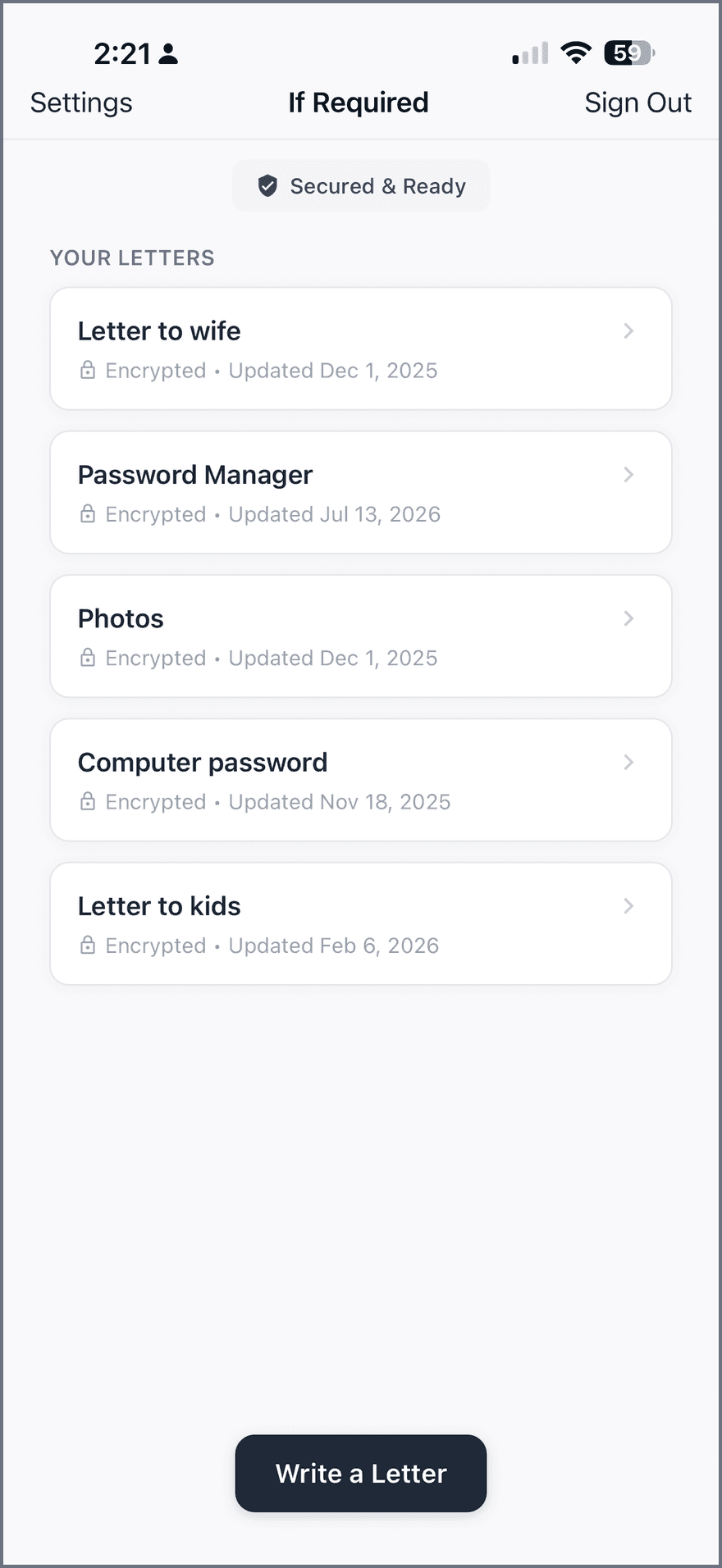
Encrypted letters, delivered if required

Make sure your family knows. Even if you can’t tell them.

Keep letters, where-to-find notes, and access instructions for the people you love — encrypted on your device. All your notes go to one transfer contact, only after the required confirmations.

  • Free to start

A place for what matters

  • Something to say

    A letter to your kids.

    The words you want them to keep.

  • Somewhere to look

    Where the will is.

    The details they shouldn’t have to search for.

  • A way to get in

    Find the password.

    Point someone to where your access details are kept.

  • Memories to keep

    Where photos are backed up.

    Point them to the drive, account, or folder holding your family photos.

  • A way to unlock it

    Safe combination.

    Leave the combination or directions to where it is kept.

Why this exists

Love isn’t the problem. Finding things is.

When something happens, the people you love shouldn’t have to dig through drawers, guess passwords, and decode your life while they grieve.

Without a plan

Your partner searches drawers for the will and never finds your Dropbox login.

Stressful · Uncertain · Months of untangling

With If Required

They open one app and see your exact words, in your exact order.

Clear · Reliable · Minutes, not months

What it holds

Everything they’ll need. Nothing they’ll have to hunt for.

Words that matter

Personal messages and the important thoughts you never got around to saying out loud.

Accounts to be aware of

Where to find your passwords and recovery keys, how to get into your computer, and what to do next.

Where stuff is

The will, the deed, the spare keys, the safe — the locations only you know today.

Tucked-away things

Hidden items, combinations, and storage spots that would otherwise be lost with you.

Pet details

Care routines, vet contacts, and the quirks only you know about the animals you love.

Digital assets

Photos, documents, domains, and the online valuables your family should inherit.

How it worksYour words. Your people. Your rules.

What happens to your notes if something happens to you

If Required keeps your important notes encrypted and makes sure they reach one person you trust, but only when it is truly needed.

Two roles, two jobs

Two responsibilities.
One rule you control.

01

Your transfer contact

One person receives all your notes after a confirmed transfer. They see nothing before then, but you may also choose them as a confirmation contact.

Receives notes · May also confirm
02

Your confirmation contacts

One to three people report that something has happened to you. Your transfer contact can be one of them, and you choose how many must agree.

Confirm what happened · Access depends on their role
Try the confirmation ruleIllustration only
How many people must agree?

Tap a contact to add or remove their confirmation.

Your notes stay private.

0 of 2 required confirmations · Nothing shared yet

You choose the level of reassurance: trust one person for simplicity, or require two or three people to agree.

Set it up. Make it yours.

01 / While life goes on
  1. You write your notes.

    Passwords, instructions, letters, wishes. Everything is encrypted on your device before it is saved.

  2. You name one transfer contact.

    We email them right away so they know you have chosen them. Nothing is shared with them yet.

  3. You choose your confirmation contacts.

    Pick one, two, or three people and decide how many of them must agree before a transfer happens. Your transfer contact can be one of them. Requiring one confirmation is simplest; requiring two or three gives you more assurance.

A careful handoff.

02 / Only if required
  1. A confirmation contact reports an incident.

    If something happens to you, a confirmation contact opens the app and reports an incident for you. Each report counts as one confirmation.

  2. When enough people confirm, the transfer runs.

    Your notes are securely copied to your transfer contact’s account, and they receive an email asking them to sign in. Your account is then closed to protect what you saved.

  3. Your transfer contact reads your notes.

    They sign in with the email address you gave us, and everything you wrote is waiting for them.

A little preparation. A lot of peace of mind.

Download on theApp Store
Two ways to prepare

Keep it with us, or keep it in your own hands.

Some things you’ll trust to encryption. Some things you’ll never put on a server at all. If Required does both — so nothing important is ever lost, and nothing private is ever exposed.

Online

Store & send securely

Keep the details safe with us, encrypted on your device, before they ever leave it. Once the required confirmations are received, all your notes are transferred to your one transfer contact automatically.

  • Encrypted end to end — readable by no one, not even us.
  • All notes delivered to your one transfer contact after confirmation.
  • Nothing for your family to hunt for, nothing to forget.
Offline

Leave the map, not the treasure

Don’t want the sensitive stuff online at all? Store only the directions. Point your people to the safe, the drawer, the binder, the deposit box — the secrets stay exactly where you left them.

  • No sensitive data stored online — just where to look.
  • Guide loved ones to physical documents and hidden spots.
  • You stay in full control of what’s shared, and how.

Mix and match freely. Trust us with your passwords and leave a paper-only clue to the safe in the same plan — it’s your call, item by item.

Security

We can’t read your letters. That’s the point.

Everything is encrypted on your device with AES-256 before it ever touches our servers. What we store is noise — readable by no one, including us.

  • Not your notes.
  • Not your secrets.
  • Not even the subject line.
What you write

“The safe key is taped under the workbench. The combination is your mother’s birthday.”

What our servers see

Do it for the people who count on you.

Join the families who sleep better knowing their loved ones will have everything they need — exactly when they need it.

Download on theApp StoreFree to start · Takes about ten minutes